Start in four steps
It takes about 15 minutes. Your page stays private until you publish it.
Pick your link
Your page lives at cartrevolt.com/@yourname. Letters, numbers and dashes work. You can change it once every 30 days, and the old link forwards for 30 days.
Words like admin and support aren't allowed, so no page looks official.
Add your first picks
Paste a product link from the store. CartRevolt checks the link and spots the program and your tag. You write the title and why you picked it, and add your own photo or use a plain illustration. A note needs at least 20 characters and 4 words.
Nothing is copied from the store page. That keeps your page original and inside program rules.
List your page with each program
Programs pay only for sites you've told them about. Add cartrevolt.com/@yourname as a site in each program you use, then tick it in CartRevolt. Picks from that program show once you do.
Check and publish
See your page the way visitors will, choose public or private, and publish. You can turn it off any time, and your invite codes keep working through each store's page.
Write picks people trust
Visitors act on your note, not the product photo. Say what you liked, what to watch for, and who it's for. A store's own description is refused.
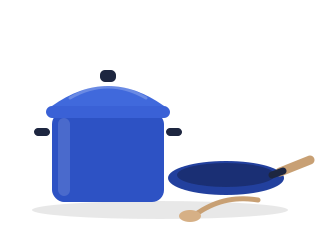
Enameled dutch oven and skillet
“Heavy in the good way. Both go from the stove to the oven, and they clean up fast.”
Cobalt Kitchen · cobaltkitchen.example
In the creator's own words, with something a buyer needs to know.
Enameled dutch oven and skillet
“Premium enameled cast iron delivers superior heat retention for perfect results every time.”
Cobalt Kitchen · cobaltkitchen.example
Copied from the store page. CartRevolt asks for a note in your own words before the pick can go live.
Disclosures, done for you
When any pick on your page can earn you money, CartRevolt shows a Disclosure line at the top, right under your name card, that visitors can't dismiss, and (paid link) beside each paid pick. Plain links with no program show no label, so the label keeps its meaning.
Maya R. earns a commission when you buy through some links on this page. As an Amazon Associate, Maya R. earns from qualifying purchases.
Don't add deal, coupon or price claims to your notes. Brands set their own rules for creator links, and some don't allow them on deal sites at all.
List your page with each program
Each affiliate program pays only for links on sites you've listed with it. Add your CartRevolt page, then tick it under Programs in Manage storefront. For associate programs that need their own sentence, CartRevolt adds it to your Disclosure line.
- Where to add it for Amazon Associates, opens in a new tab
Amazon Associates
- Where to add it for Awin, opens in a new tab
Awin
- Where to add it for Rakuten Advertising, opens in a new tab
Rakuten Advertising
- Where to add it for Impact, opens in a new tab
Impact
- Where to add it for ShareASale, opens in a new tab
ShareASale
Event collections
Tie a collection to an event, like a Halloween porch or a Black Friday laptop guide. It gets its own link, comes first on your page while the event is coming up, and shows on the event's page on CartRevolt as a link to you. To show there, it needs at least 4 picks with your own notes and no link problems.
Keep links healthy
CartRevolt checks the format of each link and follows it once when you add it. After that it checks the store page every week without your tag, and it never fakes a click. If an item is gone or a page changes, the pick shows Link needs attention, and you can replace the link or hide the pick. A link that looks unsafe is held for review until it is checked.
Insights show views, clicks and codes copied from your page. Sales and commissions stay in each program's own dashboard.
Do and don't
Do
- Write every note yourself
- Use your own photos, or the plain illustration
- List your page with each program before adding its links
- Keep at least 4 picks in an event collection
- Fix or hide links that need attention
Don't
- Copy store descriptions, photos, prices or ratings
- Promise discounts or call a price the lowest
- Offer rewards for using your links, like points, tickets or cashback
- Use link shorteners, redirects or someone else's tag
- Put links in print when a program forbids it
Creator questions
Yes. Links go straight to the store with your tag. CartRevolt adds no tags of its own and takes no share.
No. Insights show views, clicks and codes copied from your page. Sales and commissions stay in each program's dashboard.
Yes, once your CartRevolt page is listed as one of your sites in your Associates account. CartRevolt adds the sentence Amazon asks for to your Disclosure line. Amazon decides whether it accepts a page.
Programs don't allow copying them, and prices change often. Visitors see the current price on the store's site when they tap Shop.
It marks links that can earn you money, as US disclosure rules expect. Plain links with no program don't need it.
Some programs don't allow their links in printed material, so the code works on screens only.
When a visitor taps Shop, CartRevolt notes the click without a redirect, so the store sees the visit come from your page.
CartRevolt lists giveaways that other organizers run, labeled Run by the organizer, not by CartRevolt, and members can't run a draw on CartRevolt's own engine. A giveaway can't depend on using your links, because rewards for using links aren't allowed.
Yes, under Page in Manage storefront. Your invite codes keep working through each store's page.
It may show an ad, labeled Advertisement, near the top of your page and, on long pages, at the end. An ad never sits among your picks or beside a Shop link, and it never changes your links, your tag or your commission.
Yes, a code from the brand: 3 to 24 letters, numbers or hyphens. The card shows it as yours, never as a code we checked. Amazon picks can't have one, because Amazon's coupons are clipped on Amazon itself.
Remove that brand's picks from your page. Some brands don't allow their links on deal or coupon sites, so check each program's terms.
Ready to start?
Your page stays private until you publish it.